Secure Shell (SSH) is a cryptographic network protocol that is used to log into the system via a secure channel. With the help of SSH, you can safely exchange data between two devices. For more background, read our SSH overview.
Provider-specific note: Manage Shell is a Namecheap-specific cPanel plugin for eligible shared-hosting accounts; Namecheap’s instructions exclude reseller hosting, VPS, and dedicated servers from this plugin workflow. Namecheap’s shared-hosting connection guide lists port 21098 for SSH connections, and its SFTP documentation also lists port 21098 for shared-hosting SFTP. Do not transfer these details to another provider or plan; verify the port and access method shown in your own account’s instructions. This plugin is not a standard feature on every cPanel account. Other hosts may expose the standard cPanel SSH Access interface, use a different tool, require support to enable shell access, or disable it entirely. The screenshots below reflect Namecheap’s interface and may change; check your host’s current instructions before following them.
Enabling SSH access allows for:
- Remote hosting control
- The ability to add, remove, edit, backup and restore hosting files and directories
- The easy import and export of your database
- An established connection between 2 different servers
However, there are some downsides with enabling SSH:
- More difficult to use than a web interface
- Increased security risks
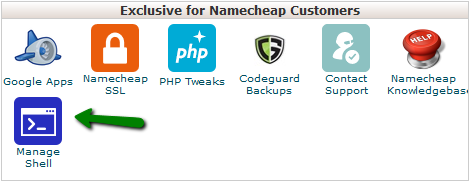
For eligible Namecheap shared-hosting accounts, use the Manage Shell control shown below; other plans and providers may use different access procedures.
For cPanel Basic Theme

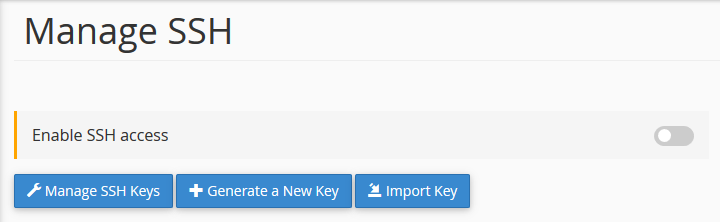
There are 3 options related to enabling SSH keys:
- Managing SSH keys
- Generating a new key
- Importing a key
These options open the SSH Access menu in cPanel. Follow our SSH key authentication guide for the key-management steps.
To enable SSH, turn the toggle button on. After it has been enabled, you will then see how you can manage your SSH.
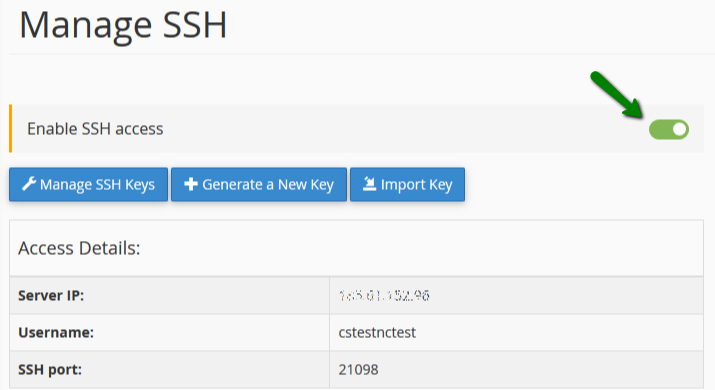
For cPanel Retro Theme
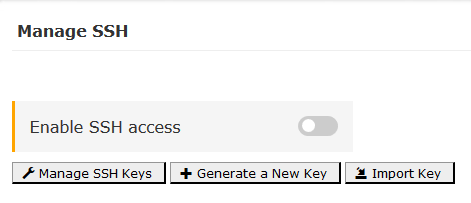
There are 3 options related to enabling SSH keys:
- Managing SSH keys
- Generating a new key
- Importing a key
These options open the SSH Access menu in cPanel. Follow our SSH key authentication guide for the key-management steps.
To enable SSH, turn the toggle button on. After it has been enabled, you will then see how you can manage your SSH.

[…] provider-specific cPanel access, see our Manage Shell in cPanel guide. The feature, SSH port, and available commands depend on your hosting provider and […]